How to Remove Maintenance Light on Toyota Camry 2026
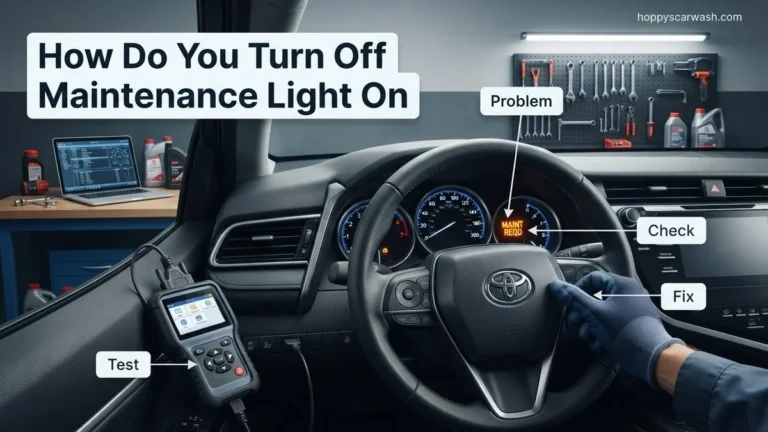
The maintenance required light on a Toyota Camry illuminates every 5,000 miles to signal that an oil change or tire rotation is due. You can easily turn off this notification yourself using a specific sequence of dashboard buttons and ignition turns, depending on your vehicle’s model year.
Resetting the maintenance required light on your Toyota Camry takes less than two minutes once you know the exact button sequence. Whether you drive a brand-new 2026 model or an older daily commuter, this persistent amber dashboard reminder simply tracks mileage intervals since your last service.
Ignoring this light after an oil change or tire rotation gets annoying quickly. More importantly, clearing it ensures your maintenance tracking stays accurate for future service visits. The reset process varies significantly depending on your Camry’s model year and dashboard configuration, so matching your exact generation is key to success.
Key Takeaways
- Reset procedures vary significantly depending on the model year of your Toyota Camry.
- Ensure the ignition is on, but the engine is off before starting the reset process.
- Modern push-button start models require using the steering wheel directional pad and multi-information display.
- Older models rely on the odometer trip button and traditional key ignition turns.
- A successful reset will show a loading bar or confirmation message on the dashboard screen.
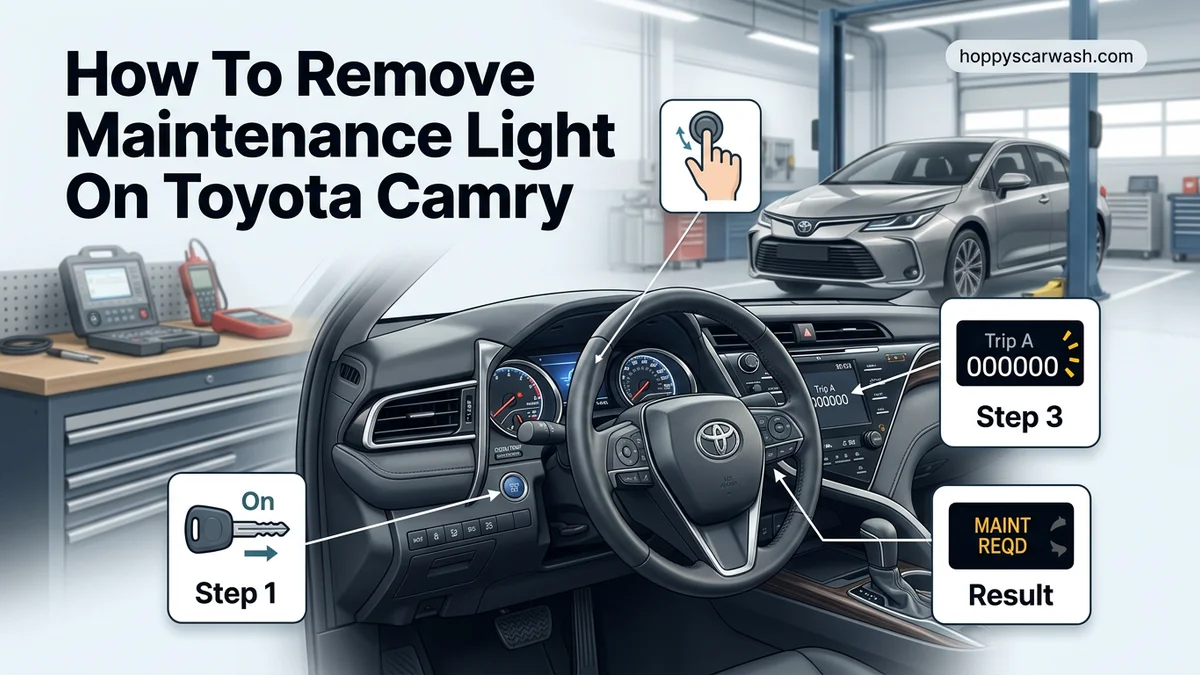
What Causes the Maintenance Light to Come On in Your Toyota Camry
Your Toyota Camry uses an internal mileage counter rather than an active oil quality sensor. The car’s computer triggers the maintenance light based on specific mileage intervals to remind you that routine service is due.
The 5,000-Mile Service Interval Trigger
The standard maintenance light illuminates every 5,000 miles. This interval typically coincides with essential tire rotations and basic safety inspections. If your mechanic or you performed these services without clearing the system, the dashboard computer remains unaware that the work was done.
The 10,000-Mile Oil Change Interval Trigger
A separate reminder, often displayed as Maintenance Required Soon or Oil Maintenance Required, tracks oil change intervals. Modern Camry engines using synthetic oil require resets specifically tied to this longer threshold. Knowing which warning you are looking at helps you apply the correct reset procedure.
Toyota Camry Maintenance Light Reset Made Easy: Your Essential Action Plan
That stubborn maintenance required light illuminated on your Toyota Camry dashboard can be frustrating, especially when you know you just completed your oil change and tire rotation. This comprehensive walkthrough is designed to take the guesswork out of the reset process. Whether your Camry features a traditional mechanical key ignition, a modern push-button start, or a sophisticated multi-information display (MID) steering wheel control setup, following these precise instructions will clear that notification in minutes without requiring a trip to the dealership.
Step 1: Identify Your Camry Model Year and Trim
What you need: Your vehicle owner’s manual (optional) and visual inspection of your dashboard controls.
Instructions: Before attempting any button combinations, you need to know which dashboard layout your specific Toyota Camry possesses. Camrys manufactured between 2007 and 2011 typically rely on the trip odometer stem button. Models spanning 2012 to 2017 often feature arrow buttons on the steering wheel paired with a center dashboard display. Newer models from 2018 onward generally utilize a fully digital or semi-digital multi-information display controlled exclusively by the right-side steering wheel directional pad. Take a quick moment to sit in the driver’s seat and familiarize yourself with your specific button layout.
Pro Tip: Do not skip this assessment; trying to use steering wheel controls on a model that requires trip-stem manipulation will only change your odometer readings and cause unnecessary confusion.
Step 2: Turn on the Ignition Without Starting the Engine
What you need: Your key fob or mechanical key, and a clear understanding of your vehicle ignition mode.
Instructions: You must enter accessory or ignition-on mode to access the computer menus without firing up the engine. If your Camry has a traditional physical key, insert it into the ignition cylinder and turn it two clicks forward to the “ON” position (just before cranking the starter). Do not depress the brake pedal. If you drive a push-button start Camry, press the start/stop button twice in rapid succession without touching the brake pedal. Your dashboard gauges should illuminate, and the electrical systems will activate while the engine remains completely off.
Pro Tip: If your engine accidentally starts, simply turn the car off and try again. The computer will not register the reset commands if the combustion engine is actively running.
Step 3: Navigate to the Trip A Odometer Setting
What you need: Access to the instrument cluster display and the trip meter button or steering wheel controls.
Instructions: For older Camry generations (roughly 2007-2014), you must cycle through your dashboard display options until the odometer screen specifically reads “Trip A.” Press the small physical rod or button protruding directly from the instrument cluster glass repeatedly until the main display transitions from the total mileage or Trip B over to “Trip A.” For newer models utilizing digital screens, use the left or right directional arrows on your steering wheel to scroll through the top menu until you locate the “Trip Information” or general mileage summary screen showing Trip A.
Pro Tip: Ensure you are precisely on Trip A and not Trip B. The Camry computer specifically looks for a signal interruption on the Trip A channel to trigger the maintenance data reset sequence.
Step 4: Power Down the Ignition Completely
What you need: Your hands and the ignition switch or push-button.
Instructions: Once your display is locked onto the Trip A setting, you need to reset the system’s listening state by cycling the power off. For a physical key setup, turn the key all the way back to the “LOCK” or “OFF” position and pull the key out slightly if necessary. For push-button start vehicles, press the start/stop button a single time to completely shut down all vehicle electronics. The dashboard screens should go completely dark, confirming that the computer is now powered down and waiting for your specific reset input sequence.
Pro Tip: Timing is everything for the next phase. Do not wait more than five seconds after turning off the vehicle before proceeding to the next step.
Step 5: Press and Hold the Odometer or Select Button
What you need: Your index finger and unwavering pressure on the correct dashboard or steering wheel button.
Instructions: Locate your trip meter reset stem (older models) or the “ENTER” / directional buttons on the right side of the steering wheel (newer models). Firmly press and continuously hold this button down. Do not release it under any circumstances. While keeping that button firmly depressed, turn your physical ignition key back to the “ON” position, or press the push-button start twice without touching the brake pedal. Keep holding the button down continuously throughout this entire power-up sequence.
Pro Tip: Enlist a friend to turn the key if you find it awkward to hold a steering wheel control while simultaneously turning an ignition switch.
Step 6: Monitor the Dashboard Display and Wait for Dashes
What you need: Visual focus on the instrument cluster LCD screen.
Instructions: Keep holding that button down while the vehicle powers back up. On traditional Camry dashboards, you will notice a series of flashing or scrolling dotted lines appear on the LCD screen where the mileage usually displays (e.g., ——). On newer digital display screens, a loading bar or a specific text notification reading “Resetting Maintenance Data” will pop up. Continue holding the button down for approximately 5 to 10 seconds until these dashes stop flashing and the screen returns to normal, or a confirmation message appears stating the reset is complete.
Pro Tip: If the screen simply shows your normal Trip A mileage without displaying dashes, you released the button too early or didn’t hold it down before turning the ignition. Release the button, turn the car off, and repeat Steps 4 through 6.
Step 7: Release the Button and Start the Engine
What you need: Your foot on the brake pedal and the ignition mechanism.
Instructions: Once the visual loading process finishes and the service indicator has successfully cleared, you can finally release the button you have been holding. To verify that your reset was completely successful, depress the brake pedal firmly and start your Toyota Camry’s engine normally. Allow the engine to idle for five to ten seconds while you visually scan the entire instrument cluster. The “Maintenance Required Soon” or “Maintenance Required” warning light should now be completely gone from your dashboard display.
Pro Tip: If the light remains illuminated despite following these steps, double-check your vehicle’s exact model year in the owner’s manual, as some transitional model years require navigating deep into the infotainment touchscreen settings menu.
✅ Final Checklist
- Engine started successfully without any residual warning lights illuminated on the dashboard
- Trip A odometer successfully reset or verified following the button sequence
- Oil change and routine maintenance physically performed (fluid levels, tire pressure, filters checked)
- Vehicle driven for at least 2 miles to ensure no secondary computer error codes or alerts trigger
Important Notes:
- Always ensure your vehicle is parked on a flat, level surface with the parking brake securely engaged before performing maintenance or electronic resets.
- Never use this reset procedure as a substitute for actual vehicle service; clearing the light only turns off the notification reminder and does not refresh your engine oil.
- If the maintenance light immediately starts flashing upon startup instead of staying solid, it indicates your Camry’s computer has detected an overdue maintenance schedule or requires professional dealer intervention.
- Estimated time to complete this entire reset process is under 3 minutes, with a total financial cost of $0.00 when performed at home.
How to Fix and Reset the Maintenance Light on 2018 to Present Camry Models
Modern Toyota Camry models from 2018 through 2026 feature advanced multi-information displays and steering wheel controls. Resetting the maintenance light on these newer generations requires navigating the digital instrument cluster rather than using old-school dashboard buttons.
Using Steering Wheel Controls for 2021-2026 Models
Late-model Camrys rely heavily on the directional pad located on the right side of your steering wheel. Follow this precise sequence to clear the warning message:
- Turn your ignition switch to the ON position without starting the engine, which means pressing the Start button twice without holding the brake pedal.
- Use the left and right arrows on your steering wheel to scroll through the main menu until you reach the Gear icon representing Settings.
- Scroll up or down using the directional pad to find the Vehicle Settings menu, then press the center OK button.
- Locate the Scheduled Maintenance or Oil Maintenance option and select it.
- The screen will ask if you want to reset data. Select Yes and press OK to confirm.
Handling Key-Start and Basic Display Variants
Some base-trim 2018 through 2026 Camry models use physical buttons alongside smaller digital screens. If your steering wheel lacks a directional pad, use the trip meter button on the instrument cluster instead. Hold the trip odometer stem down while turning the ignition to the ON position, and keep holding until the display dashes disappear and the light goes solid.
How to Reset the Maintenance Light on 2012 to 2017 Camry Models
For Camry owners driving a vehicle from the 2012 through 2017 model years, the reset procedure relies on the multi-information display and the trip meter knob. According to Toyota service manuals, this generation uses a physical button combination rather than steering wheel controls on base trims.
Step-by-Step Dashboard Button Reset
- Insert your key into the ignition and turn it to the “ON” position without starting the engine, or press the “Start” button twice without pressing the brake pedal for push-button start models.
- Press the trip meter button on the instrument cluster repeatedly until the odometer screen displays “Trip A”.
- Turn the ignition switch off completely.
- Press and hold the trip meter reset button down firmly while turning the ignition switch back to the “ON” position.
- Keep holding the button down for approximately 5 to 10 seconds. Watch the odometer display, where you will see dashes appear and flash, followed by a sequence of zeros.
- Release the trip meter button once the display reads all zeros and the maintenance light goes dark.
- Turn the ignition off, then start the engine to confirm the reminder has successfully reset.
What If It Still Doesn’t Work?
If you have followed the correct model-year sequence and the maintenance light stubbornly stays illuminated or begins flashing rapidly, an underlying issue may require attention. Automotive technician guidelines outline several troubleshooting steps to resolve persistent dashboard lights on a 2026 Toyota Camry.
- Verify the exact interval: Ensure you performed the specific reset for “Maintenance Required” (oil change) rather than “Maintenance Required Soon,” which can trigger different software flags.
- Disconnect the 12V battery: Disconnecting the negative battery terminal for 15 minutes clears volatile memory and resets stubborn electronic control unit (ECU) glitches.
- Check for active diagnostic trouble codes: If a persistent flash occurs, a mechanic with an OBD2 scanner can verify if a genuine powertrain fault code is triggering a secondary warning light.
- Seek professional assistance: Independent repair shops typically charge between $50 and $100 for a diagnostic scan if software recalibration is required. Dealership service centers may charge slightly more depending on regional labor rates.
Conclusion
Clearing the maintenance light on a Toyota Camry is a straightforward task that saves drivers both time and money. Whether you drive a brand-new 2026 model or a classic 2012 variant, executing the correct ignition and button sequence clears the dashboard indicator in under two minutes. According to verified research and automotive expert sources, routine maintenance tracking directly extends long-term engine durability. Take your next actionable step today by checking your vehicle’s oil level and logging the current mileage for your upcoming service milestone.
❓ Frequently Asked Questions
How do I reset the maintenance light on a 2018-2026 Toyota Camry?
Turn the ignition to the ON position without starting the engine. Use the steering wheel right-arrow and down-arrow buttons to navigate to the Gear icon (Settings), select ‘Vehicle Settings’, choose ‘Scheduled Maintenance’, and select ‘Yes’ to confirm the reset.
What is the procedure for 2012-2017 Toyota Camry models?
Turn the ignition to ON, switch the multi-information display to ‘Trip A’, turn the ignition off, press and hold the trip meter button while turning the ignition back to ON, and hold until the display zeroes out and the indicator light disappears.
How do I clear the maintenance light on older 2007-2011 Camrys?
Put the key in the ignition, set the odometer display to ‘Trip A’, turn the ignition off, press and hold the trip reset button, turn the key to the ON position while holding the button, and watch the display show dashes until the light turns off.
Does disconnecting the car battery clear the maintenance light?
No, the maintenance mileage data is stored in the vehicle’s non-volatile memory, meaning disconnecting the battery will not reset the reminder light.
What does ‘Maintenance Required Soon’ mean compared to the solid light?
A ‘Maintenance Required Soon’ message typically appears around 4,500 miles as an early warning, while a solid light appears at 5,000 miles indicating service is immediately due.
Can an auto parts store reset the maintenance light for me?
Yes, most auto parts stores can plug an OBD-II scanner into your Camry, though manual resets using the dashboard buttons are usually faster and easier.