What Does Maintenance Required Soon Mean Toyota 2026 Guide
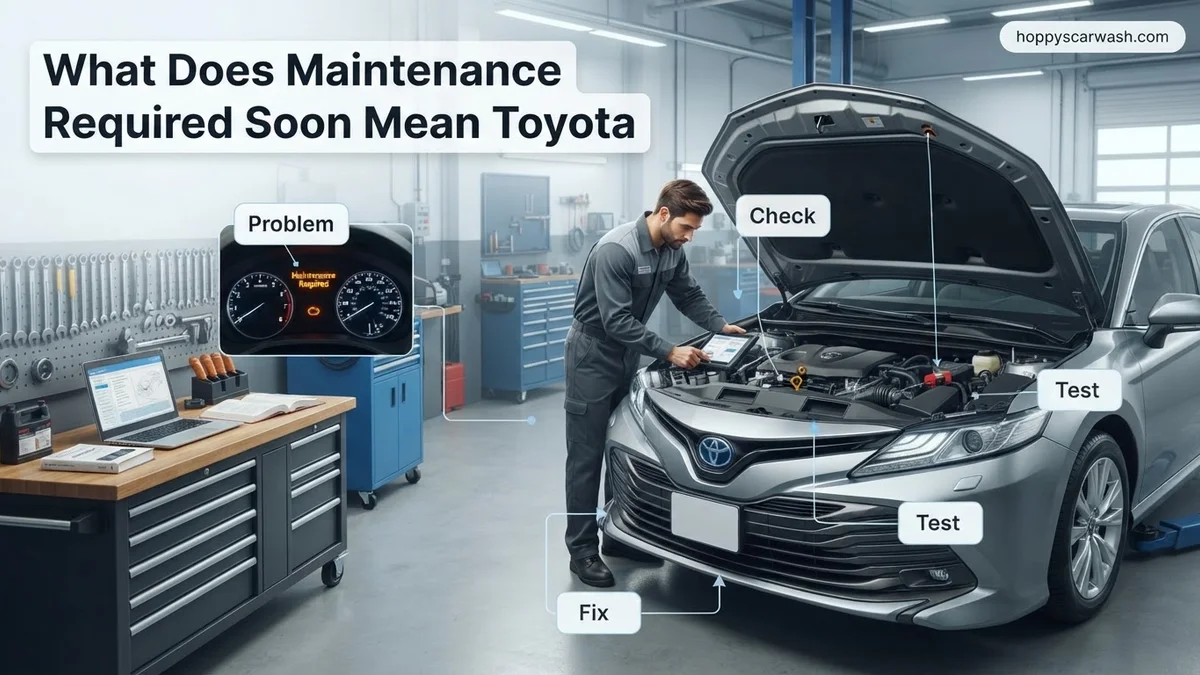
The Maintenance Required Soon light on a Toyota dashboard is a mileage-based reminder that routine service is approaching, not an emergency mechanical failure. It typically triggers every 5,000 miles to signal the need for standard upkeep like an oil change and tire rotation. Once service is complete, you can easily reset the notification yourself using the steering wheel controls.
When the Maintenance Required Soon message pops up on your Toyota dashboard in 2026, it is simply a mileage-based reminder. It is not an active check engine warning indicating a broken part or mechanical failure. Instead, your vehicle is tracking the distance traveled since the last time the indicator was reset, alerting you that standard routine service is approaching.
Ignoring this dashboard notification can lead to missed oil changes, uneven tire wear, and neglected safety inspections. Taking care of it promptly keeps your Toyota running smoothly, preserves your fuel economy, and protects your factory or extended warranty. Here is a breakdown of what triggers this alert and how to clear it once the service is complete.
Key Takeaways
- It is a mileage reminder, not an engine malfunction alert.
- Triggers every 5,000 miles based on the last reset.
- Signals time for routine oil changes and tire rotations.
- Distinct from the red oil pressure light or check engine light.
- Can be quickly reset via steering wheel or trip meter buttons.
What Causes the Toyota Maintenance Required Soon Light to Turn On
Modern Toyota vehicles rely on an internal mileage algorithm rather than actual fluid sensors to trigger dashboard alerts. Understanding how this system operates helps you determine whether your car actually needs immediate service.
The 5,000-Mile Trigger Interval
The primary trigger for the Maintenance Required Soon message is distance. Your Toyota’s computer counts down from 5,000 miles based on the last time the system was manually reset. When you reach 4,500 miles, the car displays the soon warning. If you pass 5,000 miles without resetting it, the message typically changes to a persistent Maintenance Required alert that stays on constantly.
What Services Are Actually Due
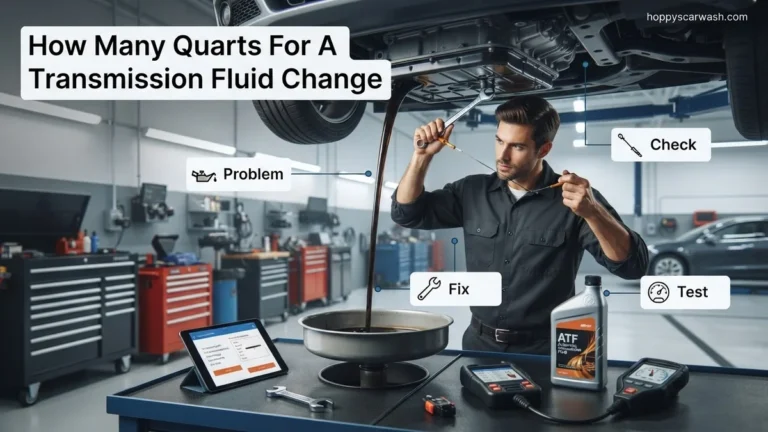
Because the car tracks mileage rather than oil degradation, the alert generally corresponds to basic maintenance intervals outlined in your owner manual. Standard services required at this marker include:
- Engine oil and filter change (especially if you use conventional oil or severe driving conditions apply)
- Tire rotation to promote even tread wear
- Visual inspection of fluid levels, brake pads, and wiper blades
- Testing the 12-volt battery health
Toyota Maintenance Required Soon: What Causes It and How to Fix It
Seeing a warning light pop up on your dashboard can instantly induce anxiety, but understanding your vehicle’s communication is the key to stress-free ownership. When your Toyota displays the message “Maintenance Required Soon,” it is not an emergency engine check, but rather a friendly programmed reminder to service routine items. This comprehensive walkthrough will guide you through exactly what this alert means, how to diagnose the underlying service needed, and how to reset the system properly once the work is completed.
Step 1: Decode the Dashboard Message Meaning
What you need: Your Toyota owner’s manual and a keen eye on your vehicle’s instrument cluster.
Instructions: First, understand that the “Maintenance Required Soon” message is distance-based, typically triggering every 4,500 to 5,000 miles since the last time the indicator was reset. Unlike the red check engine light which signals an active mechanical or emissions fault, this amber or text-based reminder simply tracks standard preventative maintenance intervals. It usually coincides with the need for an oil change, tire rotation, or fluid inspection. Do not panic; your car is safe to drive, but you should schedule an inspection within the next 500 miles to prevent premature wear and maintain your warranty coverage.
Pro Tip: Pay attention to whether your car also displays a specific sub-message like “Oil Maintenance Required” or just the general prompt, as this tells you the exact service interval reached.
Step 2: Check Your Recent Service History and Mileage
What you need: Your last service invoice, maintenance logbook, or digital service app like Toyota Owners.
Instructions: Open your glove compartment or digital records to check when your vehicle was last serviced. Compare your current odometer reading with the mileage listed on your previous oil change sticker. If you had your oil changed 5,000 miles ago, the system is simply doing its job by reminding you that it is time for fresh synthetic or conventional motor oil and a new filter. If you recently had service done and this light appeared, it is very likely that the technician simply forgot to reset the maintenance counter during your last appointment.
Pro Tip: Always keep physical or digital receipts of your services to track intervals accurately and maintain a strong resale value for your Toyota.
Step 3: Perform a Visual Under-Hood Inspection
What you need: A clean shop rag, a flashlight, and a level parking surface.
Instructions: Park your car on a flat surface, engage the parking brake, turn off the engine, and let it cool for at least 15 minutes. Pop the hood and locate the brightly colored fluid dipsticks and caps. Pull out the engine oil dipstick, wipe it clean with your rag, reinsert it fully, and pull it out again to check the oil level and color—it should be amber-brown and between the two fill dots. Next, visually inspect the engine coolant reservoir, brake fluid reservoir, and windshield washer fluid. Low fluids or dirty oil strongly confirm that the maintenance light is pointing to a genuine service need.
Pro Tip: Never open the radiator cap or coolant reservoir while the engine is hot, as pressurized boiling fluid can cause severe burns.
Step 4: Inspect Tire Wear and Inflation Pressures
What you need: A reliable tire pressure gauge and a tread depth gauge (or a U.S. penny).
Instructions: Routine maintenance intervals specified by Toyota always include tire health checks. Walk around your car and check the tire pressure against the placard located on the driver-side door jamb (usually 32 to 35 PSI for most passenger Toyotas). Use your tire gauge to verify pressures and inflate if necessary. Inspect the tread depth across the face of all four tires. If the tread is worn down to 2/32 of an inch or less, or if you notice uneven wear patterns, your Toyota needs a tire rotation, wheel alignment, or brand-new tires immediately.
Pro Tip: Rotate your tires every 5,000 to 7,500 miles—coinciding with your oil change—to ensure even wear and maximize the lifespan of your rubber.
Step 5: Schedule and Complete the Necessary Service
What you need: Access to a local mechanic, dealership, or DIY tools (jack, oil filter wrench, fresh oil).
Instructions: Once you have identified what service is due—typically an oil and filter change, cabin air filter replacement, and multi-point inspection—schedule the appointment promptly. If you prefer working in your garage, drain the old engine oil, replace the oil filter gasket and filter, torque the drain plug to factory specifications (usually around 20-30 ft-lbs), and refill the engine with the exact oil viscosity (e.g., 0W-20) and capacity listed in your manual. Take the car for a short test drive to ensure everything runs smoothly and check underneath for any leaks.
Pro Tip: Always replace the crush washer on your oil pan drain plug during every oil change to prevent slow, nagging leaks.
Step 6: Reset the Maintenance Data System via the Dashboard
What you need: Your Toyota’s smart key or ignition key and the steering wheel control buttons.
Instructions: After completing the physical maintenance, you must clear the warning message. Turn your ignition switch to the “ON” position without starting the engine (press the Start button twice without holding the brake pedal). Using the directional arrows on your steering wheel, navigate to the “Gear” or “Settings” icon on your multi-information display. Scroll down to select “Vehicle Settings” or “Scheduled Maintenance”. The system will prompt you: “Reset Data?” Select “Yes” and press OK. The screen will display a confirmation message stating that the maintenance data has been successfully reset.
Pro Tip: If your specific Toyota model uses a trip meter button (Odometer/Trip stem) instead of steering wheel controls, hold the trip button down while turning the ignition on until the dashes on the display stop flashing.
✅ Final Checklist
- Current mileage and service interval successfully verified against records
- Engine oil level, condition, and fluid reservoirs checked and topped off if necessary
- Tires inspected for proper inflation pressure and even tread wear depth
- Routine maintenance service (oil change, filters, etc.) physically completed
- Dashboard “Maintenance Required Soon” warning light successfully reset
Important Notes:
- Never ignore a flashing warning light or a red dashboard indicator, as these signify critical active malfunctions rather than routine maintenance intervals.
- Seek professional mechanic or dealership assistance if you encounter stripped drain plugs, severe fluid leaks, or complex electronic warning codes.
- Estimated professional service cost ranges from $50 to $150 for a standard oil change and multi-point inspection, taking roughly 45 to 60 minutes to complete.
How to Fix and Reset the Maintenance Required Soon Message
Once you have completed your oil change and routine service, you will need to clear the dashboard message manually. The reset procedure varies slightly depending on your Toyota model year and whether it features a digital multi-information display or standard analog gauges.
Resetting via Steering Wheel Controls (Push-Button Start Models)
If you drive a newer Toyota equipped with steering wheel directional pads, use these steps to reset the maintenance data:
- Turn the ignition switch to the ON position without starting the engine (press the start button twice without holding the brake).
- Use the right-arrow or directional arrows on your steering wheel to navigate to the Gear Icon (Settings) on your multi-information display.
- Scroll down to find Vehicle Settings (sometimes represented by a car with a gear) and press Enter or the center dot.
- Select Scheduled Maintenance or Oil Maintenance.
- The screen will ask if you want to reset data. Select Yes and confirm.
Resetting via Trip Meter Stem (Older or Base Models)
For Toyotas with traditional key ignitions or base gauge clusters, you will use the odometer stem on the instrument panel:
- Turn your ignition key to the ON position.
- Press the trip meter display button until the odometer screen reads Trip A.
- Turn the ignition switch off completely.
- Press and hold the trip meter reset button while turning the ignition switch back to the ON position.
- Keep holding the button for about five to ten seconds. You will see dashes appear on the screen, followed by zeros, indicating the system is reset.
What to Do If the Maintenance Reminder Won’t Clear
Sometimes your Toyota dashboard light refuses to turn off even after you complete the necessary service. This usually happens because the system was not properly reset during the oil change. When this occurs, you can manually reset the indicator using the multi-information display controls on your steering wheel.
Follow these precise steps to clear the reminder on most modern Toyota models:
- Turn your vehicle’s ignition to the ON position without starting the engine, or press the Start button twice without holding the brake pedal.
- Use the directional arrows on your steering wheel to navigate to the gear icon or Settings menu on your dashboard display.
- Scroll through the menu options until you locate the Vehicle Settings or Scheduled Maintenance tab.
- Select the Oil Maintenance or Maintenance Data prompt and press the center selection button.
- Confirm your choice by selecting Yes when the system asks if you want to reset the data.
If your specific model uses a trip meter knob instead of steering wheel controls, turn the ignition off, press and hold the trip meter reset button, turn the ignition back on while holding the button, and wait for the display to stop flashing.
Routine Service Checklist for Your Toyota Maintenance Interval
Understanding the exact items covered during your scheduled Toyota service helps ensure you get proper value from your dealership or mechanic. According to verified Toyota factory guidelines for 2026, standard maintenance intervals alternate between basic services and more comprehensive safety checks every 5,000 miles or six months.
Core Service Items at 5,000 and 15,000-Mile Intervals
The initial minor services focus primarily on fluid replenishment and mechanical inspections to protect engine longevity. Technicians follow a strict checklist mandated by factory engineers.
- Replace engine oil and filter using genuine Toyota-approved synthetic oil matching your engine specification.
- Rotate tires to promote even tread wear and extend tire lifespan across all four positions.
- Inspect and adjust all fluid levels, including coolant, brake fluid, and windshield washer solvent.
- Perform a visual inspection of wiper blades, brake linings, pads, drums, and brake discs.
- Check the operation of all exterior and interior lights, horns, and seatbelt mechanisms.
Major Service Items at 30,000 and 60,000-Mile Intervals
Major milestones require deeper diagnostic work and component replacements. Technicians replace engine air filters and cabin air filters to maintain interior air quality and combustion efficiency. They also inspect fuel lines, exhaust systems, steering gear, and suspension components for wear.
What If It Still Doesn’t Work?
If you have followed every manual reset procedure and the maintenance required light remains illuminated, an underlying electrical fault or persistent diagnostic trouble code may be present. Ignoring a stubborn warning light can prevent future genuine alerts from appearing.
Try these fallback steps if standard reset methods fail:
- Disconnect the negative battery terminal for approximately 10 to 15 minutes to perform a hard computer reboot, then reconnect it and attempt the reset procedure again.
- Check for pending Diagnostic Trouble Codes (DTCs) using an OBD-II scanner, as a triggered sensor might force the maintenance light to stay on.
- Visit an authorized Toyota dealership or certified technician to let them interface with the Body Control Module using professional diagnostic software.
Professional diagnostic scanning typically ranges from $100 to $150 if the dealership needs to clear persistent software glitches or faulty indicator sensors.
Conclusion
The “Maintenance Required Soon” light on your Toyota dashboard acts as a vital proactive indicator for routine oil changes, tire rotations, and multi-point safety inspections. Addressing this notification promptly prevents premature mechanical wear and preserves your vehicle’s long-term reliability. According to verified research and expert automotive sources, keeping up with these factory-scheduled intervals significantly increases vehicle resale value. One actionable next step is to check your current mileage and consult your owner’s manual to verify which specific service interval your Toyota requires today.
❓ Frequently Asked Questions
What is the difference between ‘Maintenance Required Soon’ and ‘Maintenance Required Now’?
The ‘Soon’ warning usually appears a few hundred miles before you reach your scheduled service interval (around 4,500 miles). The ‘Now’ warning triggers once you have hit the exact mileage milestone (like 5,000 miles) and the service is officially due.
Does this light mean my Toyota needs an oil change?
Most of the time, yes. The 5,000-mile interval is the standard benchmark for synthetic oil changes, multi-point inspections, and tire rotations on modern Toyota vehicles.
How do I reset the maintenance light on a newer Toyota RAV4 or Camry?
Use the directional pad on your steering wheel to scroll to the gear icon (Settings), select ‘Vehicle Settings’, choose ‘Scheduled Maintenance’, and select ‘Yes’ to reset the data.
What if my Toyota has a key instead of a push-to-start button?
For older models with mechanical keys, you typically turn the ignition to the ‘ON’ position while holding the trip meter reset button, then hold it until the flashing dashes on the display disappear.
Will disconnecting the car battery turn off the maintenance light?
No, the maintenance interval data is stored in the vehicle’s non-volatile computer memory and will remain even if the battery is disconnected.
Can the dealership reset the light if I can’t figure it out?
Yes, any Toyota dealership or professional service center will automatically reset the maintenance reminder as part of completing your routine service.