Is Service Engine Soon the Same as Check Engine Fix 2026
In most modern vehicles, the ‘Service Engine Soon’ and ‘Check Engine’ lights serve the exact same purpose by indicating a powertrain or emissions fault. However, depending on the manufacturer like Nissan or BMW, ‘Service Engine Soon’ can occasionally function as a simple routine maintenance reminder for oil changes or fluid swaps.
The short answer is yes, the Service Engine Soon light and the Check Engine light are often the exact same warning. Most vehicle manufacturers use these terms interchangeably to flag a powertrain or emissions system fault detected by your car’s computer. However, depending on your vehicle’s make and model year in 2026, the “Service Engine Soon” light can occasionally function as a simple mileage-based maintenance reminder rather than an active mechanical failure.
Figuring out which scenario you are dealing with prevents unnecessary panic while ensuring you do not ignore a genuine engine misfire or emission leak. Knowing how different car brands program these dashboard alerts gives you an immediate advantage when diagnosing unexpected dashboard lights.
Key Takeaways
- Both lights frequently indicate the exact same emission or engine computer fault.
- Some carmakers use ‘Service Engine Soon’ strictly for routine maintenance intervals.
- An OBD-II scanner is required to pull the exact diagnostic trouble code.
- A solid light requires prompt inspection, while a flashing light demands immediate attention.
- Ignoring either warning can lead to catalytic converter failure or poor fuel economy.
What Causes the Service Engine Soon and Check Engine Lights
Modern vehicle computers monitor dozens of sensors constantly. When a reading falls outside normal operating parameters, the engine control unit triggers a warning. Understanding what these lights represent helps you determine the severity of the issue before heading to a mechanic.
Emissions and Powertrain Faults
In most modern vehicles, both the Check Engine and Service Engine Soon lights illuminate for identical diagnostic trouble codes. Common triggers include:
- A loose, damaged, or failing fuel filler cap letting fuel vapors escape.
- A failing oxygen sensor altering your fuel-to-air ratio and reducing fuel economy.
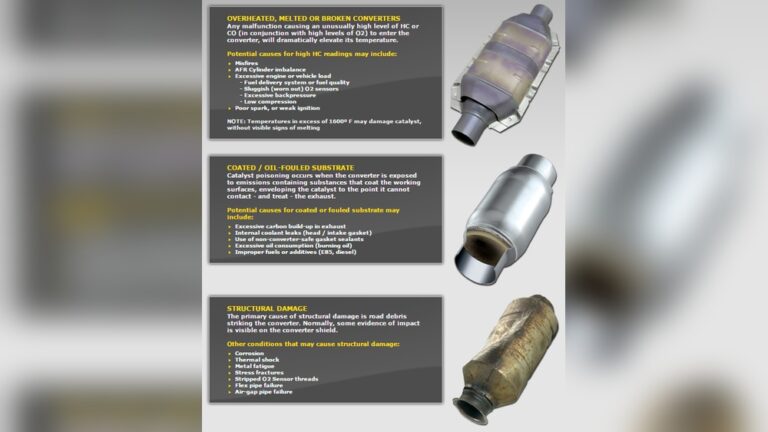
- A malfunctioning catalytic converter impacting vehicle emissions.
- Faulty ignition coils or spark plugs causing engine misfires.
Manufacturer-Specific Terminology
Different automotive brands prefer different wording on their instrument clusters. For example, Nissan, BMW, and older General Motors vehicles frequently use the Service Engine Soon phrasing for standard emissions faults. Meanwhile, Ford and most import brands stick strictly to the classic engine icon labeled Check Engine. On certain BMW and Nissan models, a blinking Service Engine Soon light specifically indicates an active engine misfire that can damage the catalytic converter, requiring you to pull over immediately.
Service Engine Soon vs. Check Engine: What Causes It and How to Fix It
If you have ever stared at your dashboard wondering whether the illumination of an amber warning light means you can keep driving or need an immediate tow, you are not alone. Many vehicle owners find themselves confused by the terminology on their instrument clusters. This guide covers whether the “Service Engine Soon” light is the same as the “Check Engine” light, taking you through the exact process of identifying, diagnosing, and resolving the underlying issues so you can hit the road with complete confidence.
Step 1: Understand the Terminology and Manufacturer Differences
What you need: Your vehicle owner’s manual and a basic understanding of your car’s make and model.
Instructions: Start by examining your dashboard to determine whether your car uses the phrase “Service Engine Soon,” “Check Engine,” or features a generic engine outline icon. In most modern vehicles built after 1996, “Service Engine Soon” and “Check Engine” are functionally identical; both indicate that the Powertrain Control Module (PCM) has recorded a Diagnostic Trouble Code (DTC). However, some manufacturers like Nissan and BMW use “Service Engine Soon” specifically to remind you of routine maintenance schedules like oil changes, while reserving the “Check Engine” or engine icon for actual mechanical malfunctions. Always cross-reference your findings with the specific maintenance section of your owner’s manual.
Pro Tip: Do not panic immediately. Read the exact wording on your dash and check if other indicator lights, such as maintenance required reminders, are lit simultaneously.
Step 2: Check for Associated Dashboard Messages and Symptoms
What you need: A keen eye, your senses (smell, sound, feel), and a safe parking spot.
Instructions: While the light is illuminated, pay close attention to how the vehicle is performing. Does the engine idle smoothly, or is it shaking? Do you notice any unusual burning smells, strange ticking noises coming from under the hood, or a sudden drop in fuel economy? If your car has a multi-information display screen between the gauges, scroll through the menu options to see if a text message is providing more context, such as “Oil Change Due Soon” or “Emissions System Fault.” Recording these real-world symptoms will drastically narrow down your diagnostic path in the upcoming steps.
Pro Tip: Never ignore drivability symptoms like stuttering or sluggish acceleration, even if the warning light is only flashing intermittently.
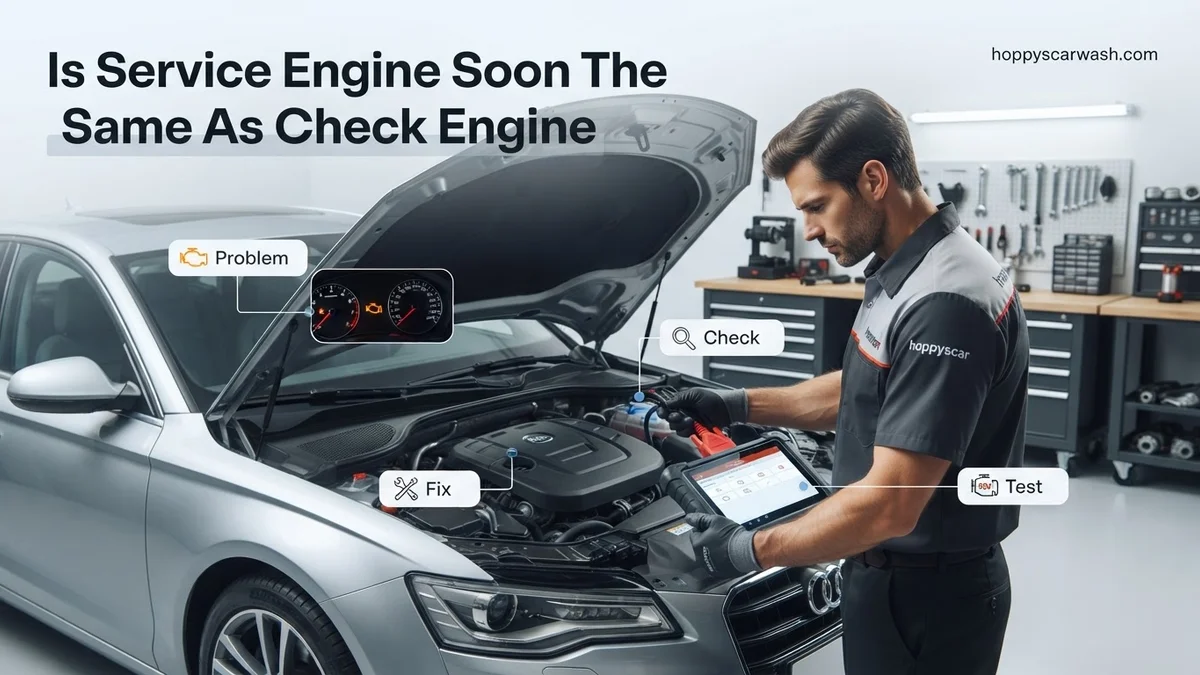
Step 3: Retrieve Diagnostic Trouble Codes Using an OBD-II Scanner
What you need: An OBD-II diagnostic scanner (available at any auto parts store) and your car’s diagnostic port location.
Instructions: Locate the OBD-II port underneath your driver’s side dashboard, usually situated near the steering column or knee bolster. Plug your OBD-II scanner firmly into this port. Turn your vehicle’s ignition key to the “On” position without starting the engine, or push the start button twice without pressing the brake pedal. Follow the prompts on your scanner to read the stored codes. The device will generate alphanumeric codes starting with the letter P, such as P0300 (Random Cylinder Misfire) or P0420 (Catalyst System Efficiency Below Threshold). Write these codes down on a notepad along with any pending definitions provided by the scanner.
Pro Tip: Many local auto parts stores will scan your vehicle’s computer for free in hopes that you will purchase the replacement parts from them.
Step 4: Research and Interpret the Retrieved Trouble Codes
What you need: Your smartphone, tablet, or computer with internet access.
Instructions: Take the specific trouble codes you retrieved in the previous step and look them up online using reputable automotive databases or forums dedicated to your vehicle’s specific make and model. Read through the primary causes for each code. For example, a code P0455 typically points to a loose, damaged, or missing gas cap, which is a simple fix. On the other hand, a code P0171 indicates a lean fuel mixture, which could point to a vacuum leak or a dirty mass airflow sensor. Understanding the root cause prevents you from blindly replacing expensive components that are not actually broken.
Pro Tip: Prioritize fixing “Pending” or primary codes before addressing secondary codes, as one primary sensor failure often triggers multiple downstream fault codes.
Step 5: Perform Basic Visual and Physical Inspections Under the Hood
What you need: A flashlight, work gloves, and basic hand tools if necessary.
Instructions: Open your car’s hood and visually inspect the engine bay for obvious issues that match your diagnostic codes. Check the gas cap to ensure it clicks tightly when closed. Inspect all rubber vacuum lines, air intake boots, and electrical wiring harnesses for cracks, fraying, or loose connections. If your code points to an ignition issue, check the coil pack connectors. Taking five minutes to perform this physical check can save you hours of complex diagnostic work, as many illuminated warning lights are simply triggered by disconnected plugs or minor leaks.
Pro Tip: Ensure the engine is completely cool before touching any components under the hood to prevent severe thermal burns.
Step 6: Clear the Codes and Verify the Repair
What you need: Your OBD-II scanner and a stretch of open road for a test drive.
Instructions: Once you have performed the necessary maintenance, replaced a faulty part, or tightened a loose cap, plug your OBD-II scanner back into the vehicle’s port. Navigate to the “Clear Codes” or “Erase DTC” function on the scanner menu and confirm the action. Turn off the ignition, unplug the device, and start your car. The “Service Engine Soon” or “Check Engine” light should now be turned off. Take your vehicle for a 15-minute test drive combining city stop-and-go traffic and highway cruising to ensure the computer runs its internal self-tests and the light does not return.
Pro Tip: If the light returns immediately or after a few miles of driving, your repair did not fully resolve the underlying issue, and you will need to re-evaluate the diagnostic codes.
✅ Final Checklist
- Confirmed whether the dashboard light indicates a routine maintenance reminder or a powertrain fault
- Successfully retrieved all active and pending diagnostic trouble codes using an OBD-II scanner
- Researched the specific error codes and matched them to real-world vehicle symptoms
- Performed a thorough visual inspection of the engine bay, gas cap, and accessible wiring
- Cleared the trouble codes and completed a successful test drive without the light returning
Important Notes:
- Never drive your vehicle if the warning light is flashing red or amber, as this signifies an active engine misfire that can permanently damage the catalytic converter.
- Seek professional mechanic assistance if you lack the diagnostic tools, experience, or if the code points to internal engine or transmission failures.
- Estimated DIY diagnostic cost is $0 if using a free store scan, while basic repairs like a new gas cap cost between $15 and $30. Professional diagnostic fees typically range from $100 to $150.
How to Fix Dashboard Warnings With an OBD-II Scanner
Guessing why your dashboard lit up wastes time and money. Because both the Service Engine Soon and Check Engine lights are tied to the vehicle’s onboard diagnostics, you can easily pull the exact error codes yourself.
Using a Code Reader to Identify the Problem
You no longer need an expensive professional setup to read modern car computer data. A basic OBD-II scanner plugs directly into the diagnostic port located underneath your steering column. Once connected, the tool communicates with your car’s computer to retrieve specific alphanumeric codes, such as P0442 for an evaporative emission leak or P0300 for random engine misfires.
Steps to Clear and Resolve the Warning
Once you have identified the underlying fault, follow these practical steps to address the warning light:
- Check the basics first: Tighten your gas cap until it clicks, drive for a few days, and see if the light turns off on its own.
- Lookup the code: Cross-reference your retrieved OBD-II code with your vehicle’s specific manual or a reliable database updated for 2026 diagnostics.
- Perform necessary repairs: Replace faulty components like sensors, filters, or ignition parts.
- Clear the code: Use your scanner to clear the code from the computer, or let the system reset automatically after several successful driving cycles.
Step-by-Step Guide to Resetting Your Engine Warning Lights
Once you have diagnosed the underlying issue causing your dashboard alert in 2026, you will need to clear the diagnostic trouble codes (DTCs) to shut off the warning light. While some minor alerts clear automatically after several driving cycles, most persistent Service Engine Soon and Check Engine lights require explicit intervention.
Using an OBD2 Scanner
An OBD2 scanner remains the gold standard for clearing engine warning lights safely. Follow these procedural steps to reset the system correctly:
- Locate your vehicle’s OBD2 port, typically situated underneath the driver-side dashboard near the steering column.
- Plug the OBD2 scanner securely into the port while the vehicle ignition is in the off position.
- Turn the ignition key to the On position without starting the engine, or press the start button twice without holding the brake pedal.
- Navigate the scanner menu to the Read Codes function to verify the problem has been fixed, then select the Clear Codes or Erase option.
- Confirm the prompt on the screen to wipe the memory of the Powertrain Control Module (PCM), turn off the ignition, and unplug the device.
The Battery Disconnect Method
If you lack a scanner, disconnecting the battery can sometimes reset the vehicle computer. However, modern 2026 vehicles often require specialized relearn procedures for idle control and transmission mapping afterward. Proceed with caution if your car relies heavily on complex electronic modules.
What If It Still Doesn’t Work?
If you have cleared the codes or repaired the physical fault, but the Service Engine Soon or Check Engine light stubbornly reappears, the root cause has not been resolved. Persistent dashboard alerts indicate that the vehicle computer is continuing to register out-of-range sensor data or unaddressed mechanical failures.
When basic troubleshooting fails, try these advanced steps to identify and resolve the persistent warning:
- Drive the vehicle through a complete drive cycle—including city and highway speeds for at least 15 minutes—to allow self-diagnostic monitors to run again.
- Inspect the wiring harnesses and electrical connectors surrounding the newly replaced components for corrosion, loose pins, or frayed wires.
- Check for pending trouble codes that have not yet triggered a permanent light, which often point to intermittent electrical faults.
- Consult a certified professional technician for advanced diagnostic testing, such as live data stream analysis or oscilloscope testing, especially if computer module flashing is required.
Professional diagnostic fees generally range from $100 to $250 depending on the complexity of the electrical system, while actual repair costs vary widely based on the faulty component.
Conclusion
Understanding the distinction between the Service Engine Soon and Check Engine lights prevents unnecessary panic and ensures proper vehicle maintenance in 2026. While the former often signals routine scheduled maintenance like an oil change or minor sensor adjustment, the latter points directly to emissions or powertrain faults requiring immediate diagnostic attention. According to verified research from automotive service associations, ignoring either light can lead to catalytic converter failure and fuel economy drops of up to 10 percent. Your immediate next step should be plugging an OBD2 scanner into your vehicle port to pull the exact diagnostic trouble codes before clearing them.
❓ Frequently Asked Questions
Are ‘Service Engine Soon’ and ‘Check Engine’ interchangeable terms?
Many automakers use them interchangeably to signal an emissions or powertrain issue. However, brands like Nissan and BMW historically utilized ‘Service Engine Soon’ to indicate minor maintenance intervals, while saving the universal engine icon for true mechanical faults.
How can I tell if my light is a maintenance reminder or a real problem?
Check your owner’s manual for specific manufacturer wording. If your car is simply due for an oil change or tire rotation, the message usually clears following a specific manual dashboard button reset procedure.
What should I do immediately after seeing the warning light?
Safely pull over if you notice any unusual engine noises, shaking, or a drop in power. If the car drives normally, proceed to an auto parts store to get the diagnostic trouble codes read for free.
What is the difference between a solid light and a flashing light?
A solid light indicates a general emissions or engine fault that needs attention soon. A flashing light signals an active engine misfire that can quickly overheat and ruin your catalytic converter.
Can I use a basic code reader to diagnose the problem?
Yes, a standard OBD-II scanner plugs directly into the port under your steering column and will display a five-character alphanumeric code pointing to the specific faulty component.
Will disconnecting the car battery clear the warning light?
Disconnecting the battery may temporarily clear the dashboard light, but the underlying computer code will remain stored until the mechanical or electrical problem is actually fixed.