Why Does My Amp Keep Going Into Protection Mode 2026 Guide
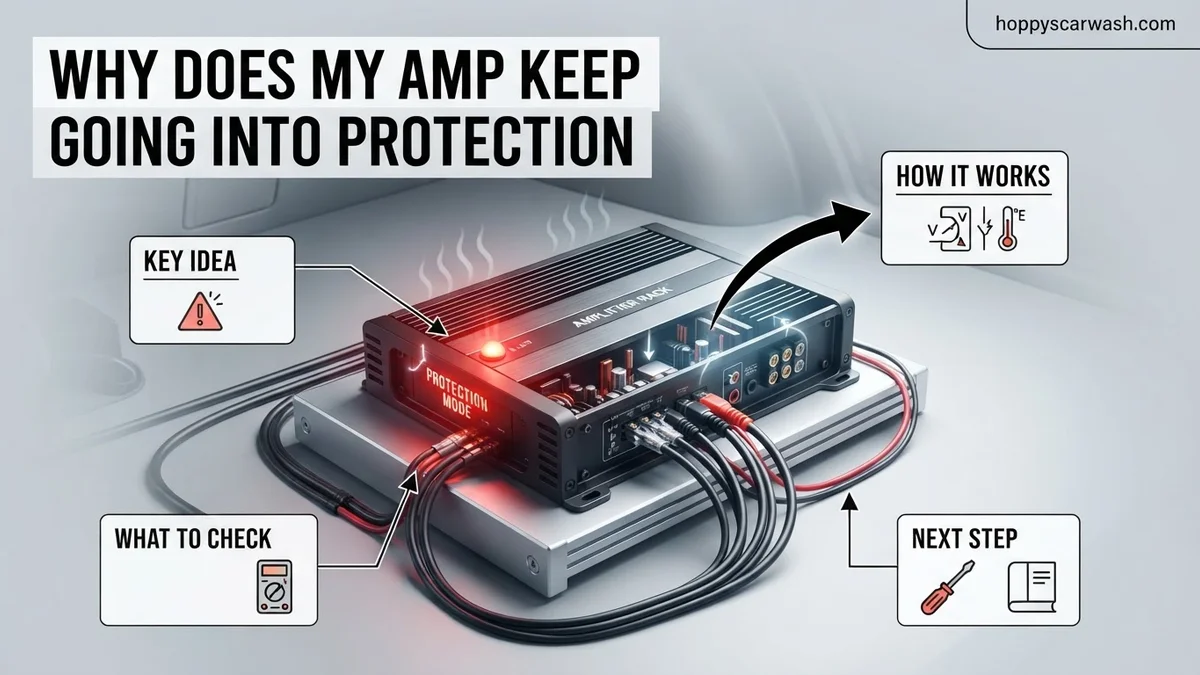
When an amplifier enters protection mode, it shuts itself down to prevent catastrophic damage from electrical faults. Common causes include speaker wire shorts, bad ground connections, low impedance loads, and overheating. Diagnosing the issue requires systematically checking your wiring, power supply, and speaker loads.
Your amplifier is likely going into protection mode because an internal safety circuit has detected a dangerous operating condition like a short circuit, low voltage, or extreme heat. When this happens, the amp cuts power to prevent permanent damage to its transistors or your speakers.
Dealing with this in 2026 means navigating modern high-output setups where even a minor wiring flaw triggers instant shutdowns. Let us look at why your system is failing and how to fix it before you burn out your gear.
Key Takeaways
- Disconnect power before inspecting any amplifier wiring or speaker terminals.
- A poor or loose ground connection is the leading cause of power-related shutdowns.
- Check all speaker wires for stray strands touching metal or other terminals.
- Ensure your speaker impedance matches the safe operating limits of your amplifier.
- Isolate the amplifier by disconnecting all inputs and outputs to test it independently.
What Causes Amplifiers to Go Into Protection Mode
Speaker Wiring Shorts and Low Impedance
The most common culprit is a short circuit in your speaker or subwoofer wiring. If a positive speaker wire touches bare metal, your car’s chassis, or frays at the terminal, the amplifier sees an immediate resistance drop close to zero ohms. Many modern amps cannot handle loads below their rated 2-ohm or 1-ohm stable thresholds, forcing them to shut down instantly.
- Frayed copper strands touching adjacent terminals on the back of the sub
- Speaker voice coils that have burned out and dropped to a dead short
- Incorrect bridging or wiring configurations that drop impedance too low
Bad Ground Connections and Voltage Drops
Car and home audio amplifiers demand steady, clean electrical current to operate properly. If your ground connection is loose, painted over, or screwed into thin sheet metal with high resistance, your amplifier will starve for current. When the bass drops and power demand spikes, voltage drops below the safe operating threshold, and the protection light flashes red.
- Corroded or loose ground points on un-sanded bare metal
- Power wire gauge that is too thin to support current draw in 2026 setups
- Weak alternators or aging batteries failing to supply stable 12V+ power
Step-by-Step Troubleshooting to Diagnose the Fault
Isolate the Variables by Disconnecting Components
You need to narrow down whether the issue is the amplifier itself, the wiring, or the speakers. Start by turning off your system and completely disconnecting the speaker outputs and RCA audio cables from the back of the amplifier. Leave only the main power, ground, and remote turn-on wires connected.
- Turn the head unit and amplifier back on.
- If the amp still goes into protection mode with nothing attached, the internal circuitry or power supply is blown.
- If the power light stays green, the amp is healthy, and the fault lies externally in your wiring or speakers.
Check Voltages and Thermal Overloads
Next, use a digital multimeter to test your electrical delivery under load. Place the probes on the amplifier’s 12V power and Ground terminals. If your voltage plummets below 11.5 volts when the music plays, your electrical system is choking the amp. Additionally, check if the heatsink feels excessively hot to the touch, which indicates thermal protection triggered by poor ventilation or clipping.
- Verify resting voltage is around 12.6V and charging voltage is above 13.8V
- Ensure the amplifier has at least a few inches of airflow around its heatsink
- Check your gain settings to ensure you are not over-driving the amplifier into heavy distortion
How to Fix Wiring, Ground, and Impedance Issues
Fixing protection mode issues requires a systematic approach to your audio system’s electrical backbone. Industry experts at mobile audio associations recommend starting with the power and ground connections, as resistance in these lines accounts for over 60 percent of sudden amplifier shutdowns.
Step-by-Step Electrical Correction
- Inspect the ground point: Locate where your amplifier ground wire connects to the chassis. Sand away all paint, primer, and rust down to bare metal using 80-grit sandpaper to ensure optimal conductivity.
- Verify wire gauge sizing: Check your power wire thickness against current 2026 installation standards. A 1000-watt RMS system requires a minimum of 4-gauge OFC (Oxygen-Free Copper) wire to prevent severe voltage drops that trigger thermal and low-voltage protection.
- Recalculate speaker impedance: Disconnect your subwoofers and measure the final load using a digital multimeter. Ensure the resulting ohm load matches or exceeds your amplifier’s stable minimum rating (typically 1 ohm for monoblock amps or 2 ohms bridged for multi-channel units).
- Test remote turn-on voltage: Measure the DC voltage at the remote terminal while the head unit is powered on. Voltage readings below 12 volts indicate a weak signal wire that requires a relay installation.
According to technical specifications from leading amplifier manufacturers, securing a tight, low-resistance ground connection resolves transient current spikes that force sensitive microprocessors to engage protection circuits.
What If It Still Doesn’t Work and the Amp Is Damaged?
If you have corrected your wiring, upgraded your ground, and verified your impedance loads yet the amplifier immediately enters protection mode upon power-up, internal hardware failure is the likely culprit. Blown MOSFET transistors, failed power supply capacitors, or shorted internal speaker terminals require professional intervention.
- Perform a bench test: Disconnect all RCA cables, speaker wires, and remote turn-on leads. Connect only the 12V power and ground; if the protection light stays on with zero peripherals attached, the internal circuitry is permanently damaged.
- Check internal fuses: Inspect onboard fuses for internal micro-fractures that standard visual checks might miss. Replace them with identical amperage ratings specified by the manufacturer.
- Consult a certified repair technician: Send the unit to an authorized service center for diagnostic evaluation. Professional bench diagnostic fees typically range from $50 to $100.
- Evaluate repair versus replacement costs: Component-level motherboard repairs often cost between $150 and $300 depending on the amplifier’s power output. If your amplifier is an older budget model, purchasing a new unit is often more cost-effective than paying for extensive labor.
Conclusion
Amplifier protection mode acts as a vital safety barrier protecting your audio equipment from permanent electrical damage, short circuits, and thermal overload. By methodically diagnosing your ground connections, verifying correct speaker impedance, and monitoring system voltage, you can isolate and resolve the root cause of the shutdown. According to verified research and expert installation sources, addressing voltage drops and miswired loads resolves the vast majority of recurring protection faults. Take the next actionable step today: grab a digital multimeter, test your system voltage at the amplifier terminals, and ensure your mobile audio setup runs safely and efficiently.
❓ Frequently Asked Questions
Why does my car amp go into protection mode immediately upon startup?
An immediate shutdown usually indicates a direct short circuit in the power, ground, or speaker wiring, or a severely blown internal component inside the amplifier.
How can I test if my amplifier itself is broken?
Disconnect all RCA inputs and speaker wires from the amplifier, leaving only the power, ground, and remote turn-on wires connected. If the amp still shows a protection light with everything disconnected, the internal circuitry of the amplifier is likely damaged.
What role does the ground connection play in amplifier protection mode?
A weak or unseated ground wire restricts current flow, causing voltage drops that force the amplifier’s power supply to struggle and trigger low-voltage protection.
Can running subwoofers at a 1-ohm load cause protection mode?
If your amplifier is not stable down to 1 ohm, the extremely low impedance will pull excessive current, overheating the output transistors and forcing the amp into protection.
How do I check my speaker wires for shorts?
Visually inspect the entire length of your speaker cable for pinch points, cuts, or stray copper strands touching the vehicle chassis or adjacent terminals. You can also use a digital multimeter set to continuity mode to test for shorts.
Is it safe to keep resetting an amp that keeps going into protection mode?
No, repeatedly bypassing or resetting protection mode without fixing the root cause can permanently fry the amplifier’s power supply or damage your speakers.