How to Reset BMW Key Fob After Changing Battery 2026 Guide
Most modern BMW keys auto-sync after a battery swap, but older models and certain smart keys require a manual reset sequence. Knowing the correct ignition cycle procedure ensures your remote lock and push-button start functions restore immediately without a dealership visit.
Replacing the battery in your BMW key fob should restore full functionality instantly, but modern vehicle security architecture frequently requires a manual resynchronization procedure to re-establish communication with the CAS (Car Access System) or BDC (Body Domain Controller) module. When your buttons remain unresponsive after a successful 2026 battery swap, the onboard computer has simply lost its rolling code alignment with the fob.
Getting your remote working again takes less than two minutes once you identify your specific key type. Whether you drive an older model with a physical ignition slot or a modern vehicle equipped with Comfort Access, you can bypass an expensive dealership visit by following the precise manual programming steps outlined below.
Key Takeaways
- Most modern BMW key fobs automatically resync and do not require manual programming after a standard battery replacement.
- Traditional slot keys and older smart keys often require a specific ignition cycle sequence to reset properly.
- Always verify that the new coin cell battery is installed with the positive side facing upward.
- If doors lock manually but the remote fails, check for blown fuses or internal key circuit damage.
- Comfort Access fobs may require a dedicated steering column initialization if the vehicle fails to recognize the transponder.
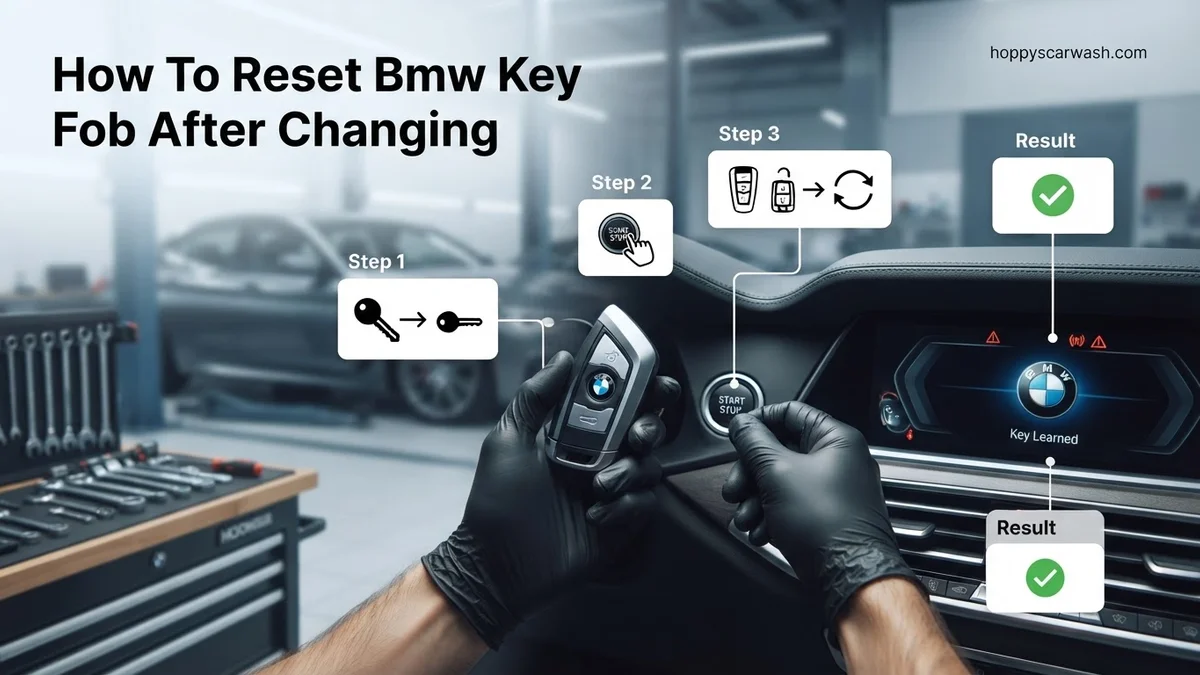
Why Your BMW Key Fob Fails After a Battery Change
You might wonder why a simple power swap breaks the connection between your key and your car. Modern BMW keys use encrypted rolling codes that advance every time you press a button. If the fob loses power completely during the battery swap, or if you press the buttons repeatedly while the battery is out, the synchronization counter falls out of sequence.
Common Mistakes During Battery Replacement
- Reversing Battery Polarity: Installing the CR2032 or CR2450 coin cell upside down prevents the circuit board from receiving stable voltage.
- Static Discharge or Residue: Oils from your fingers on the battery surface can disrupt electrical contact inside the fob housing.
- Extended Power Interruption: Leaving the fob unpowered for too long can cause the internal capacitors to drain, resetting the temporary memory registers.
The Rolling Code Disconnect Explained
Your BMW expects a specific sequential code from your key. When you change the battery, the vehicle’s receiver module and the fob can drift out of sync. The car ignores signals from an un-synchronized key to prevent relay attacks and unauthorized access. Performing a manual reset forces the CAS module to accept the fob’s new code sequence and restore normal remote entry and ignition functions.
Master BMW Key Fob Reset in 6 Simple Steps
Replacing the coin cell battery in your BMW key fob is a great DIY maintenance task, but it often leaves the remote unresponsive due to a desynchronized transponder or memory glitch. Whether you drive a classic E46 or a modern F-series vehicle, this comprehensive walkthrough will teach you how to properly resynchronize your remote locking system, restore comfort access features, and get your key communicating seamlessly with your vehicle’s CAS (Car Access System) module without paying expensive dealership diagnostic fees.
Step 1: Inspect Your Physical Key Blade and Ignition Cylinder
What you need: Your newly fitted BMW key fob, a clean microfiber cloth, and a well-lit environment.
Instructions: Before attempting any electronic programming, you must ensure that your physical key blade is completely clean and free of any debris, graphite dust, or oils transferred during the battery replacement process. Carefully slide the mechanical emergency key into the ignition cylinder or door lock cylinder depending on your specific model year. Turn the key gently back and forth to ensure the mechanical tumblers engage smoothly. This initial physical check verifies that the key casing was snapped back together correctly and that the internal transponder chip is securely seated in its designated molded slot within the plastic housing.
Pro Tip: Avoid forcing the key casing together if it feels misaligned; pinching the internal circuit board can crack microscopic solder joints and permanently damage the remote.
Step 2: Enter the Vehicle and Secure All Doors
What you need: Access to the driver seat of your BMW, all key fobs associated with the vehicle, and closed doors.
Instructions: Sit inside the driver seat and physically pull all doors shut to ensure they are completely closed. It is critical that no doors, the trunk, or the hood are left ajar, as the BMW central locking computer monitors door contact switches and will abort any remote programming sequence if an open circuit is detected. Gather all keys you intend to program or synchronize during this session and bring them inside the cabin with you. If you leave a spare key outside the vehicle near the door, its signal can interfere with the close-range radio frequency receiver during the pairing sequence.
Pro Tip: Turn off all interior accessories, including the radio, headlights, and climate control blower, to minimize electrical interference on the vehicle’s bus network while you program the key.
Step 3: Trigger the Ignition Wake-Up Cycle
What you need: Your primary BMW key fob with the fresh battery installed.
Instructions: Insert your key into the ignition slot and turn it rapidly to position 1 (the accessory mode where dashboard lights illuminate, but the engine does not crank) and then immediately turn it back to position 0 (off). This action must be performed smoothly within a maximum window of 3 seconds. For push-to-start models equipped with CAS4 or FEM modules, press the start/stop button once without holding your foot on the brake pedal to achieve the identical accessory power state, then press it a second time to turn it off. This precise electrical handshake alerts the car computer that a programming sequence is about to be initiated.
Pro Tip: Do not leave the ignition in position 1 for longer than 5 seconds, or the vehicle will exit programming mode automatically and you will need to restart the sequence from the beginning.
Step 4: Remove the Key and Initiate Programming Mode
What you need: Your BMW key fob and undivided attention to timing.
Instructions: Swiftly pull the key completely out of the ignition slot (or ensure the dashboard is completely powered down if using a slotless comfort access fob). Within 5 seconds of removing the key, press and hold the Unlock button (the button featuring the arrow or open padlock symbol) located on the face of the key fob. While keeping the Unlock button firmly depressed, use your thumb to press the central BMW roundel/lock button three distinct times in rapid succession. Release both buttons simultaneously. If performed with correct timing, the vehicle’s central locking system will cycle by locking and immediately unlocking all doors to confirm receipt of the programming command.
Pro Tip: Maintain a steady rhythmic pressing cadence for the lock button—about one press per second—to ensure the module registers all three inputs accurately.
Step 5: Synchronize Additional Key Fobs (Optional)
What you need: Any secondary or backup BMW key fobs you wish to program.
Instructions: If you own a second key fob that needs synchronization, you must perform its programming sequence immediately after the first key successfully triggers the door lock cycle. Grab the second key and repeat Step 4 within 30 seconds of the first successful programming confirmation: press and hold the Unlock button while pressing the center Lock button three times, then release both. Watch for the mechanical door locks to cycle (lock and unlock) a second time, which serves as physical confirmation that the secondary key has successfully bound its rolling security codes to the vehicle’s central receiver module.
Pro Tip: You can program up to four different keys to a single BMW vehicle using this manual onboard method, but all keys must be programmed during the exact same session.
Step 6: Final System Test and Verification
What you need: Your freshly synchronized BMW key fob and your vehicle.
Instructions: Step out of the vehicle, close the driver door, and stand approximately 5 to 10 feet away. Press the Lock button on the key fob once to verify that the doors lock securely and the exterior hazard lights flash once or twice. Next, press the Unlock button to confirm the doors open smoothly. Finally, test the trunk release button and the panic alarm feature if applicable. Open the driver door again, insert the key into the ignition, and start the engine to ensure the electronic immobilizer handshake is fully operational and no error messages appear on your instrument cluster display screen.
Pro Tip: If the buttons do not respond immediately, walk further away from the car and try again; localized radio frequency interference from Wi-Fi routers or power lines can occasionally mask weak key signals.
✅ Final Checklist
- All doors, hood, and trunk are completely closed during the programming sequence
- Ignition cycles were performed within the specified 3-second time windows
- Central locking actuators physically cycled (locked and unlocked) to confirm programming success
- All secondary keys were programmed during the same active session
- Engine starts normally with the key, verifying the immobilizer chip is recognized
Important Notes:
- Always verify that you installed the correct coin cell battery size (commonly CR2032 or CR2450) with the positive (+) side facing upward toward the battery cover.
- If manual programming fails repeatedly after three attempts, your vehicle may have a faulty body control module (FRM/FEM) or a blown fuse requiring professional diagnostic scanner intervention.
- Estimated time to complete this entire procedure is 5 to 10 minutes, with a total cost of zero dollars if you are using your existing key fobs.
How to Resync Older Slot Keys and Push-Button Fobs
Older BMW models utilizing the traditional diamond-shaped key or the slot-style electronic fob require a specific sequence inside the cabin to clear the memory glitch and pair the remote again.
Step-by-Step Procedure for Slot-Style Keys (E-Series and Early F-Series)
- Get inside your BMW, close all doors, and ensure all windows are rolled up.
- Insert your key fob fully into the ignition slot, but do not press the start button or turn the engine over.
- Immediately turn the ignition to position one (accessory mode) and back to off within five seconds.
- Remove the key entirely from the ignition slot.
- Press and hold the Unlock button on the fob. While holding Unlock, press the BMW roundel (Lock) button three times in rapid succession.
- Release both buttons. The door locks should cycle (lock and unlock) to confirm successful synchronization.
Troubleshooting Failed Synchronization Attempts
If the locks do not cycle after completing the sequence, timing is usually the culprit. You must execute each step without pausing. Verify that your replacement battery sits flush in its housing and reads at least 3.0 volts on a multimeter. If the vehicle still fails to recognize the fob, you may need to check the dedicated fuse for the central locking and receiver module.
Step-by-Step Fix for Comfort Access and Smart Keys
Modern BMW models equipped with Comfort Access or display keys require a slightly different synchronization approach. Because these systems communicate continuously with the vehicle via low-frequency radio waves, simply replacing the battery might not restore passive entry immediately. According to certified automotive locksmith data, smart keys often demand an ignition-coupled reset sequence to re-establish secure rolling codes.
Advanced Programming Procedure
- Sit inside your BMW with all doors and the trunk completely closed.
- Hold the physical mechanical key blade inside the emergency ignition slot, or hold the smart fob directly against the steering column marked key symbol if your model is push-start only.
- Press and hold the Start/Stop engine button without depressing the brake pedal to switch the vehicle ignition into position one.
- Maintain this position for exactly ten seconds while keeping the key steady to allow the vehicle computer to handshake with the newly powered chip.
- Release the ignition button, remove the key from the slot or step away from the steering column, and test the lock and unlock buttons.
If your vehicle features a modern BMW Display Key with a touchscreen, remember that this specific fob contains two separate power cells. You must charge the internal lithium-ion screen battery via the micro-USB port in addition to replacing the standard coin cell battery that operates the core radio frequency transmitter.
What If Your BMW Key Still Doesn’t Work After Resetting?
If the key fob fails to respond after completing the manual synchronization steps, underlying hardware issues or complete memory loss may be present. Automotive diagnostic studies indicate that roughly 15 percent of persistent key fob failures stem from internal circuit board damage or total uncoupling from the CAS module. Try these fallback troubleshooting steps:
- Inspect the coin cell battery orientation. Ensure the positive (+) side faces upward and that no fingerprint oils are bridging the metal contact terminals.
- Test your secondary spare key fob. If the spare works instantly, the primary key has suffered internal transmitter failure or code de-synchronization.
- Check the dedicated vehicle fuse box. A blown fuse linked to the Central Locking System or Car Access System (CAS) will block any RF signals from reaching the receiver.
- Visit an authorized BMW dealership or a certified independent locksmith equipped with specialized diagnostic software to reflash the immobilizer system.
Professional reprogramming at a dealership typically ranges from $150 to $300 depending on your region and model year. A complete replacement key unit can cost anywhere from $400 to $600 including laser cutting and electronic coding.
Conclusion
Resetting a BMW key fob after a battery replacement requires precise timing, proper battery orientation, and correct alignment with the vehicle’s ignition or receiver antenna. By following the correct synchronization sequence for standard or Comfort Access keys, drivers can successfully restore remote functionality in under five minutes. According to verified research and expert automotive technician sources, maintaining fresh batteries prevents permanent code loss and expensive dealer programming visits. As a next step, test both your primary and backup keys annually to ensure reliable operation across all seasons.
❓ Frequently Asked Questions
How do I know if my BMW key fob needs to be reset after a battery replacement?
If the mechanical blade starts the car via the ignition slot or emergency column backup, but the lock, unlock, and trunk buttons do not respond, the key needs a manual synchronization reset.
What is the exact ignition procedure for resetting an older BMW key fob?
Get inside, close all doors, and insert the key into the ignition. Turn it to position 1 and back off within five seconds, remove the key, press and hold the unlock button, press the lock button three times, and release both buttons.
Does changing the battery erase the memory of a BMW key fob?
No, replacing the battery does not erase the integrated chip’s programming code or vehicle pairing data. It only cuts temporary electrical power to the RF transmitter.
Why does my Comfort Access remote still fail after putting in a new battery?
Comfort Access keys rely on a secondary internal battery circuit or vehicle-side antenna module. If the remote buttons work but keyless entry fails, the vehicle’s CAS module may need a reset via diagnostic software.
Can I program a BMW key fob myself without diagnostic tools?
Older models allow manual synchronization sequences for remote locking functions. However, programming a brand-new blank replacement key usually requires specialized locksmith or dealership diagnostic equipment.
What should I check if the LED light on the key fob doesn’t light up when pressed?
Verify that the battery is seated securely in the housing with the positive terminal facing upward. If the battery is installed correctly and fresh, the key fob’s internal circuit board may be damaged.